
መግቢያ
This manual provides detailed instructions for setting up and operating your sktome V8MAX KIT FOR 2 Podcast Equipment Bundle. This professional audio solution is designed for live streaming, podcasting, recording, and gaming, offering high-quality sound and versatile features. Please read this manual thoroughly before use to ensure optimal performance and longevity of your equipment.
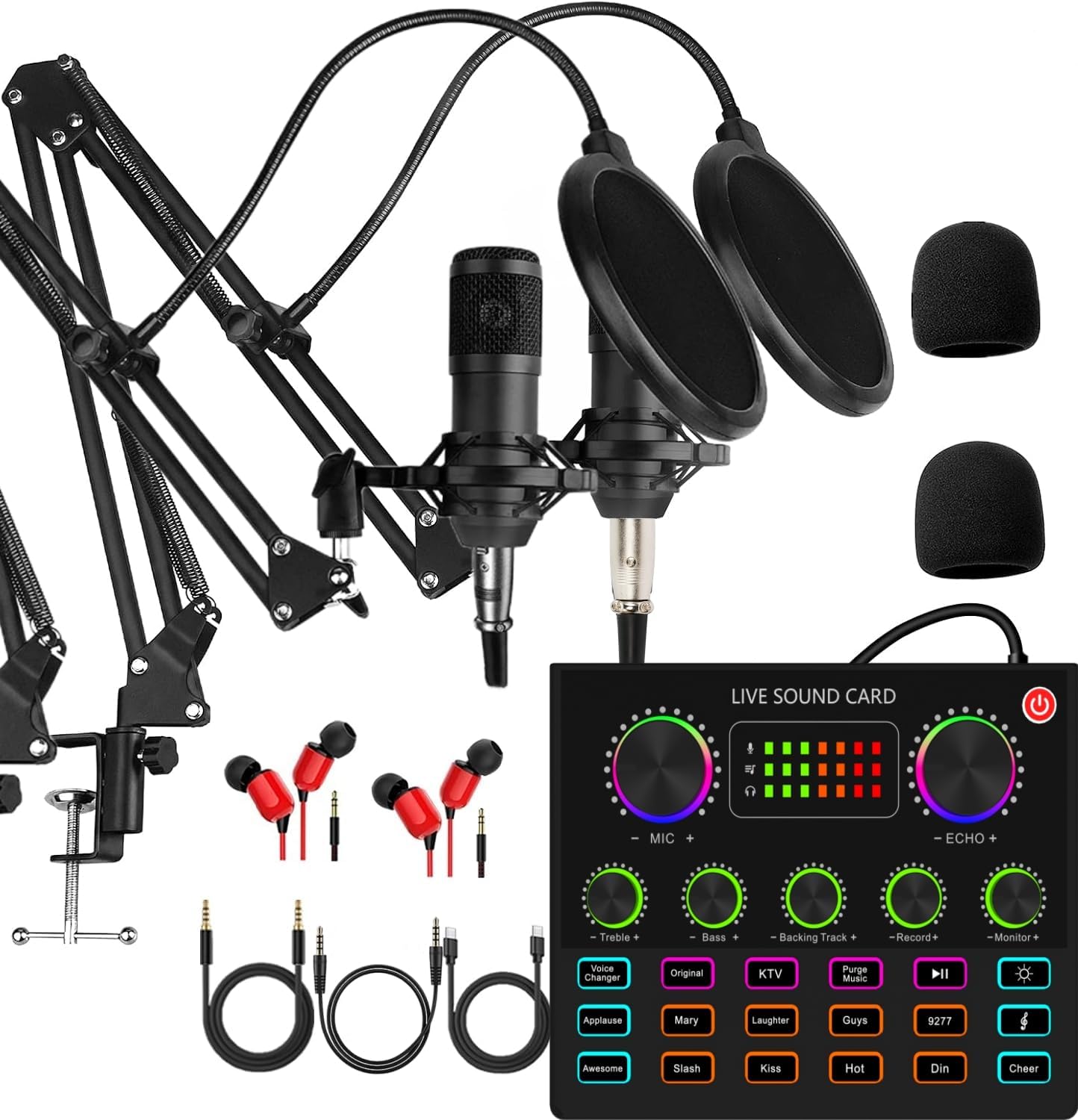
Image: The complete sktome V8MAX KIT FOR 2 Podcast Equipment Bundle, including the V8max sound card, two condenser microphones, and accessories.
በሣጥኑ ውስጥ ያለው
Your sktome V8MAX KIT FOR 2 Podcast Equipment Bundle includes the following components:
- 1 x V8max Sound Card
- 2 x Condenser Microphones (BM-800/cantilever type)
- 2 x Adjustable Microphone Boom Arms
- 2 x Microphone Shock Holders
- 2 x Pop Filters
- 2 x Foam Caps
- 2 x XLR ኬብሎች
- 2 x USB/3.5mm Cables
- 2 x 3.5mm Earphones

Image: All included components of the podcast equipment bundle laid out, showing microphones, sound card, cables, and accessories.
የማዋቀር መመሪያዎች
Follow these steps to set up your podcast equipment bundle:
- Charge the V8max Sound Card: Before initial use, connect the V8max sound card to a 5V DC power source using the provided USB charging cable. Ensure the device is fully charged for uninterrupted operation.
- Assemble the Microphones:
- Attach each adjustable boom arm to a stable surface using its clamp.
- Mount each condenser microphone into its shock holder.
- Attach the shock holder to the boom arm.
- Place a foam cap over each microphone and attach a pop filter to the boom arm in front of each microphone.

Image: A condenser microphone fully assembled with its boom arm, shock mount, and pop filter.
- Connect Microphones to Sound Card: Connect each condenser microphone to the V8max sound card using the provided XLR cables. The sound card has dedicated microphone input ports.
- የጆሮ ማዳመጫዎችን ያገናኙ; Plug the 3.5mm earphones into the 'Earphone' or 'Headset' port on the V8max sound card for real-time audio monitoring.
- ከመሳሪያ ጋር ተገናኝ፡
- ለፒሲ/ላፕቶፕ፡- Connect the V8max sound card to your computer using a USB cable. The device is plug-and-play and typically requires no drivers.
- ለስማርትፎኖች/ታብሌቶች፡- Use the appropriate USB/3.5mm cables to connect your smartphone or tablet to the 'LIVE1' or 'LIVE2' ports on the sound card for live streaming or recording.
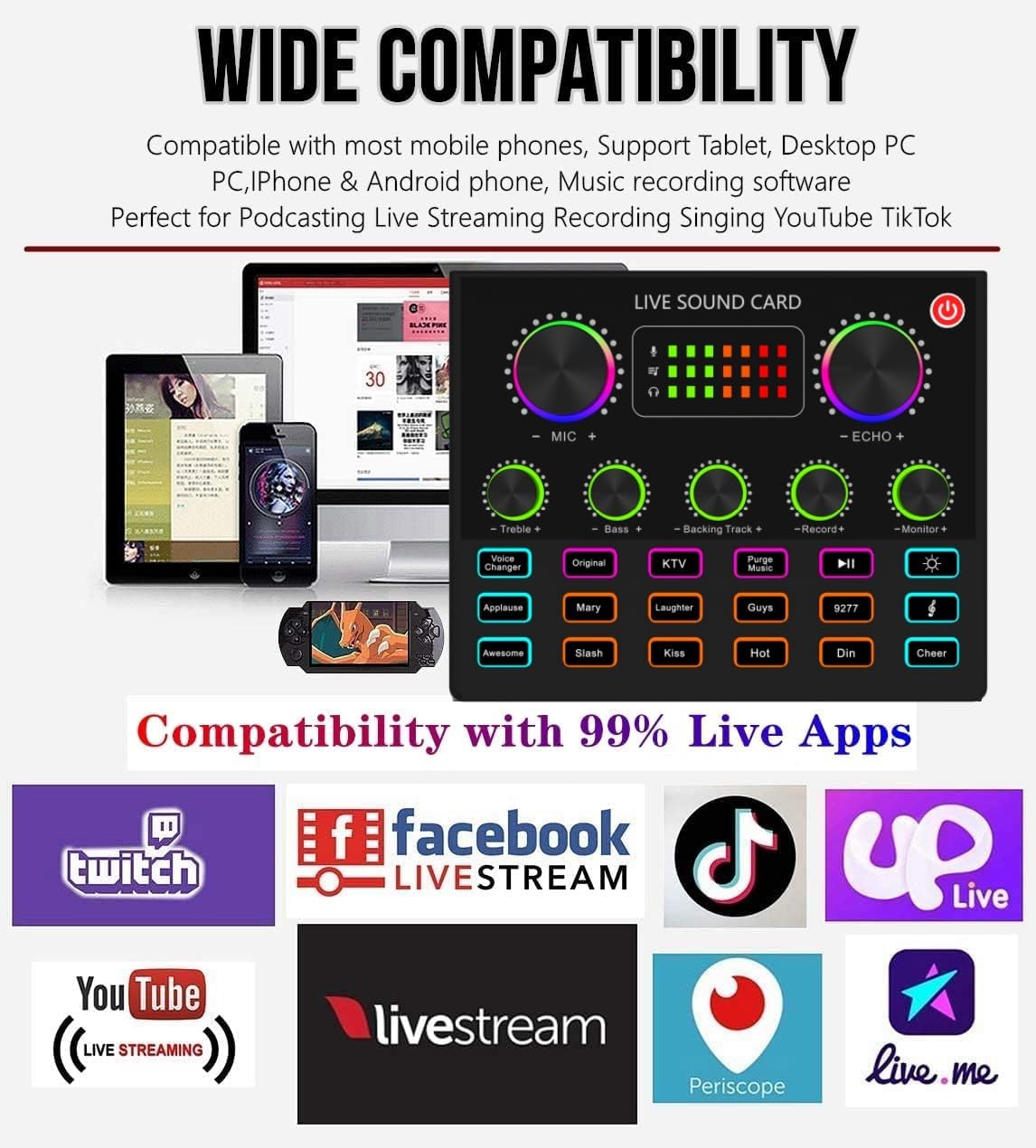
Image: The back panel of the V8max sound card, illustrating various input and output ports for microphones, earphones, and external devices.
የአሠራር መመሪያዎች
The V8max sound card offers a range of controls and effects to enhance your audio experience:
- የኃይል ቁልፍ፡- Press and hold to turn the sound card on or off.
- የድምጽ መጠን አመልካቾች፡- Colorful LED indicators display real-time volume levels for microphone, echo, and monitor outputs.
- Independent Sound Controls: Adjust knobs for Microphone Volume (MIC+), Echo (ECHO+), Treble, Bass, Backing Track Volume, Record Volume, and Monitor Volume to fine-tune your audio.
- የድምጽ መቀየሪያ፡- Press the 'Voice Changer' button to cycle through 4 different voice effects: vigorous and deep male voice, cute and sweet female voice, adorable and tender child voice, and rough and abrasive magic voice.
- Sound Effects Buttons: Utilize the 10 built-in sound effects buttons (e.g., Applause, Mary, Laughter, Guys, 9277, Awesome, Slash, Kiss, Hot, Din, Cheer) to add dynamic audio elements to your streams or recordings.
- የብርሃን መቆጣጠሪያ; The sound card features light control functionality, indicated by a dedicated button.
- የእውነተኛ ጊዜ ክትትል፡- Connect earphones to the 'Earphone' or 'Headset' port to monitor your audio in real-time without delay.

Image: The front panel of the V8max sound card, highlighting the various knobs for sound control, voice changer, and sound effect buttons.
ተኳኋኝነት
The sktome V8MAX KIT FOR 2 Podcast Equipment Bundle offers wide compatibility with various devices and platforms:
- መሳሪያዎች፡ Compatible with PC, Mac, PS5, Xbox, Android phones, and iOS devices via USB plug-and-play (no drivers required).
- መድረኮች፡ Supports popular live streaming and recording applications such as OBS, Skype, YouTube, TikTok, Twitch, Facebook Live, Livestream, Periscope, and Live.me.
- Dual-Platform Streaming: Allows simultaneous streaming to two phones with two professional streaming microphones.

Image: A visual representation of the V8max sound card connected to a laptop, tablet, and smartphone, demonstrating its wide compatibility with various devices and streaming applications.
ዝርዝሮች
Key technical specifications for the sktome V8MAX KIT FOR 2 Podcast Equipment Bundle:
| ባህሪ | ዝርዝር መግለጫ |
|---|---|
| የማይክሮፎን ቅጽ ምክንያት | የጠረጴዛ ድርድር |
| የኃይል ምንጭ | ባለገመድ ኤሌክትሪክ |
| የባትሪ ዓይነት | 1 ሊቲየም ፖሊመር ባትሪ (ተጨምሯል) |
| ቁሳቁስ | ብረት |
| የምልክት-ወደ-ጫጫታ ሬሾ | 78 ዲቢቢ |
| የሃርድዌር መድረክ | ላፕቶፕ, ፒሲ, ስማርትፎን |
| የሰርጦች ብዛት | 1 |
| የእቃው ክብደት | 5.46 ፓውንድ |
| የግንኙነት ቴክኖሎጂ | ዩኤስቢ |
| የማገናኛ አይነት | የዩኤስቢ ዓይነት-ሲ |
| የዋልታ ንድፍ | ባለአንድ አቅጣጫ |
መላ መፈለግ
If you encounter issues with your podcast equipment bundle, consider the following troubleshooting steps:
- የድምፅ ውፅዓት/ግቤት የለም፡
- Ensure all cables are securely connected to the correct ports on the sound card and your device.
- Check the volume knobs on the sound card (MIC+, Monitor+, Record+) and your connected device.
- Verify that the sound card is powered on and charged.
- Confirm that the correct audio input/output device is selected in your computer's sound settings or streaming software.
- Static Noise:
- ሁሉም ግንኙነቶች ጠንካራ እና ያልተጣበቁ መሆናቸውን ያረጋግጡ።
- Try adjusting the microphone gain (MIC+ knob) to prevent overdriving.
- Test with different cables or a different USB port on your computer.
- ከሌሎች የኤሌክትሮኒክስ መሳሪያዎች የሚደርስባቸውን ጣልቃገብነት ይቀንሱ።
- Voice Changer/Sound Effects Not Working:
- የድምፅ ካርዱ መብራቱን ያረጋግጡ።
- Confirm that the effects are enabled and the volume is adequate.
- መሣሪያ አልታወቀም፡-
- For PC/Mac, try connecting to a different USB port.
- ኮምፒተርዎን ወይም ተንቀሳቃሽ መሳሪያዎን እንደገና ያስጀምሩ.
- ስርዓተ ክወናዎ የተዘመነ መሆኑን ያረጋግጡ።
ጥገና
To ensure the longevity and optimal performance of your sktome V8MAX KIT FOR 2 Podcast Equipment Bundle, follow these maintenance guidelines:
- ማጽዳት፡ Use a soft, dry cloth to clean the surfaces of the sound card and microphones. Avoid using liquid cleaners or abrasive materials, which can damage the components.
- ማከማቻ፡ When not in use, store the equipment in a cool, dry place away from direct sunlight and extreme temperatures.
- አያያዝ፡ Handle microphones and the sound card with care. Avoid dropping or subjecting them to strong impacts.
- የኬብል አስተዳደር Avoid bending or kinking cables sharply. Store cables neatly to prevent damage.
- የአካባቢ ሁኔታዎች; Protect the equipment from moisture, dust, and excessive heat.
ዋስትና እና ድጋፍ
sktome is dedicated to product improvement and user experience. If you encounter any product or usage problems, please contact our customer service team promptly. We aim to resolve issues within 12 hours.
For assistance, please refer to the contact information provided with your purchase or visit the official sktome brand store online.
የመሙያ መረጃ፡- Please use the USB charging cable included in the package to charge the sound card. The supply voltagየሚፈለገው ዲሲ 5 ቪ ነው።