
መግቢያ
The realme Buds T110 are designed to deliver a high-quality audio experience with advanced features for both music and calls. These truly wireless earbuds offer powerful sound, clear communication, and a comfortable fit for daily use.
Key features include 10mm Dynamic Bass Drivers for rich audio, AI Environmental Noise Cancellation (ENC) for clear calls, Google Fast Pair for quick connectivity, 38 hours of total playback, fast charging capabilities, and an 88ms low latency gaming mode. The earbuds also feature an IPX5 water resistance rating, making them suitable for workouts and outdoor activities.

ምስል፡ አልቋልview of realme Buds T110 key features including 38-hour playback, AI ENC, IPX5, and low latency.
በሣጥኑ ውስጥ ያለው
Upon opening your realme Buds T110 package, you will find the following items:
- የrealme Buds T110 የጆሮ ማዳመጫዎች (ግራ እና ቀኝ)
- የመሙያ መያዣ
- Eartips (ለተመቻቸ የሚመጥን የተለያዩ መጠኖች)
- የዩኤስቢ ባትሪ መሙያ ገመድ
- የተጠቃሚ መመሪያ

Image: realme Buds T110 earbuds in their charging case, showcasing the product's components.
ማዋቀር
1. የጆሮ ማዳመጫውን እና መያዣውን መሙላት
Before first use, fully charge the realme Buds T110 and their charging case. Connect the provided USB charging cable to the charging port on the case and a power source. The indicator light on the case will show charging status. A 10-minute charge provides up to 120 minutes of playback.

ምስል: ከፍተኛ view of the realme Buds T110 charging case with its indicator light.
2. Initial Pairing (Google Fast Pair)
- የስማርትፎንዎ ብሉቱዝ መንቃቱን ያረጋግጡ።
- Open the charging case with the earbuds inside and hold it close to your Android phone.
- A Google Fast Pair pop-up will appear on your phone's screen. Tap 'Connect' to pair.
- For other devices, open the case, press and hold the function button on the case for 3 seconds until the indicator light flashes white, then select 'realme Buds T110' from your device's Bluetooth settings.
3. realme Link App Compatibility
Download the realme Link app from your device's app store to unlock additional features, customize touch controls, and update firmware for your realme Buds T110.

Image: The realme Link app logo, indicating compatibility for enhanced control.
የአሠራር መመሪያዎች
1. ማብራት / ማጥፋት
- አብራ፡ የኃይል መሙያ መያዣውን ይክፈቱ፣ እና የጆሮ ማዳመጫዎቹ በራስ-ሰር ያበራሉ እና ከመጨረሻው የተጣመረ መሣሪያ ጋር ይገናኛሉ።
- ኃይል ዝጋ: የጆሮ ማዳመጫውን ወደ ቻርጅ መሙያው ይመልሱ እና ክዳኑን ይዝጉ። በራስ-ሰር ግንኙነታቸውን ያቋርጡ እና ያጠፋሉ.
2. የንክኪ መቆጣጠሪያዎች
The realme Buds T110 feature intuitive touch controls on each earbud. The specific functions can be customized via the realme Link app.
| ድርጊት | ተግባር |
|---|---|
| ሁለቴ መታ ያድርጉ | ሙዚቃን አጫውት/ለአፍታ አቁም ፣ መልስ/ጥሪ ጨርስ |
| ሶስቴ መታ ያድርጉ | ቀጣይ ትራክ |
| Press and Hold (one earbud) | ጥሪን አትቀበል |
| Press and Hold (both earbuds) | የጨዋታ ሁነታን አስገባ/ውጣ |

Image: Close-up of the right realme Buds T110 earbud, highlighting its design and touch-sensitive area.
3. AI Environmental Noise Cancellation (ENC) for Calls
The AI ENC feature intelligently identifies and reduces background noise during calls, ensuring your voice is heard clearly by the person on the other end, even in noisy environments.
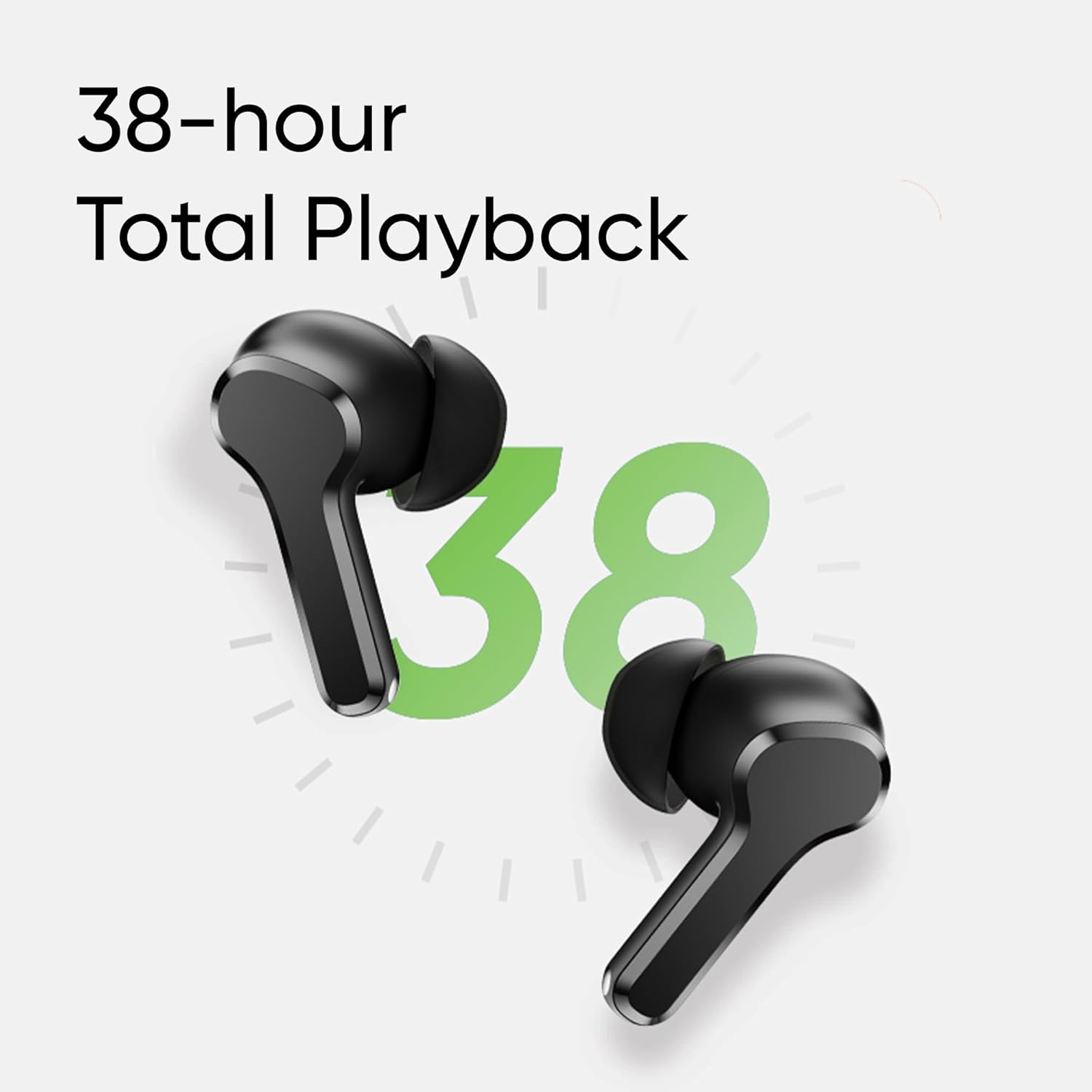
Image: Visual representation of AI ENC technology reducing background noise during calls.
4. Low Latency Gaming Mode
Activate the 88ms low latency gaming mode for a synchronized audio-visual experience, reducing audio delay during gaming or video playback. This mode can be toggled by pressing and holding both earbuds simultaneously.
ጥገና
1. ማጽዳት
- በመደበኛነት የጆሮ ማዳመጫውን እና የኃይል መሙያ መያዣውን ለስላሳ ፣ ደረቅ ፣ ከተሸፈነ ጨርቅ ያፅዱ።
- የጆሮ ማዳመጫዎችን ያስወግዱ እና በትንሽ ሳሙና እና ውሃ ያፅዱ ፣ ከዚያ እንደገና ከመያያዝዎ በፊት በደንብ ያድርቁ።
- በሁለቱም የጆሮ ማዳመጫዎች እና መያዣው ላይ የኃይል መሙያ እውቂያዎች ከአቧራ እና ፍርስራሾች የፀዱ መሆናቸውን ያረጋግጡ።
2. የውሃ መቋቋም (IPX5)
The realme Buds T110 are rated IPX5 for water resistance, meaning they are protected against low-pressure water jets from any direction. This makes them resistant to sweat and light splashes. They are not designed for submersion in water or use during swimming.

Image: Visual representation of the IPX5 water resistance feature, showing water droplets around an earbud.
መላ መፈለግ
- ምንም የድምፅ/ግንኙነት ጉዳዮች Ensure earbuds are charged. Place them back in the case, close the lid, then reopen to re-establish connection. Check your device's Bluetooth settings and ensure 'realme Buds T110' is connected. Try forgetting the device and re-pairing.
- አንድ የጆሮ ማዳመጫ የማይሰራ; Ensure both earbuds are charged. Place both earbuds in the charging case, close the lid, wait a few seconds, then open it again. If the issue persists, try resetting the earbuds.
- የመሙላት ጉዳዮች፡- የኃይል መሙያ ገመዱ ከኬዙም ሆነ ከኃይል ምንጩ ጋር ደህንነቱ በተጠበቀ ሁኔታ መገናኘቱን ያረጋግጡ። በጆሮ ማዳመጫዎቹ ላይ እና በመያዣው ውስጥ ያሉትን የኃይል መሙያ እውቂያዎች ያጽዱ። የተለየ የኃይል መሙያ ገመድ ወይም የኃይል አስማሚ ይሞክሩ።
- የጆሮ ማዳመጫውን እንደገና ማስጀመር; Place both earbuds in the charging case. Press and hold the function button on the case for 10 seconds until the indicator light flashes rapidly. This will reset the earbuds to factory settings and clear all pairing records. You will need to re-pair them with your device.
ዝርዝሮች
| ባህሪ | ዝርዝር መግለጫ |
|---|---|
| የምርት ስም | ሪልሜ |
| የሞዴል ቁጥር | አርኤምኤ2306 |
| የጆሮ አቀማመጥ | በጆሮ ውስጥ |
| የቅጽ ምክንያት | እውነተኛ ገመድ አልባ |
| እክል | 32 ኦኤም |
| የብሉቱዝ ስሪት | 5.4 |
| የድምጽ ሾፌር ዓይነት | ተለዋዋጭ ሾፌር |
| የድምጽ ነጂ መጠን | 10 ሚሊሜትር |
| የባትሪ አማካይ ሕይወት | 38 Hours (Total Playback) |
| የባትሪ መሙያ ጊዜ | 10 Minutes for 120 Minutes Playback |
| የውሃ መቋቋም ደረጃ | IPX5 |
| የድምጽ መቆጣጠሪያ | የአካባቢ ጫጫታ ስረዛ (ENC) |
| ዝቅተኛ መዘግየት | 88 ሚሴ |
| ክብደት | 42 ግራም |
| የትውልድ ሀገር | ቪትናም |
ዋስትና እና ድጋፍ
የዋስትና መረጃ
The realme Buds T110 come with a የ 1 ዓመት የአምራች ዋስትና from the date of purchase. Please retain your proof of purchase for warranty claims. The warranty covers manufacturing defects but does not cover damage caused by misuse, accidents, unauthorized modifications, or normal wear and tear.
የደንበኛ ድጋፍ
For further assistance, technical support, or warranty claims, please contact realme customer service through their official website or the realme Link app. You can also refer to the official realme support page for FAQs and additional resources.