
መግቢያ
This manual provides detailed instructions for setting up, operating, maintaining, and troubleshooting your HP 230 Wireless Keyboard and Mouse Combo. Please read this manual thoroughly before using the product to ensure optimal performance and longevity.
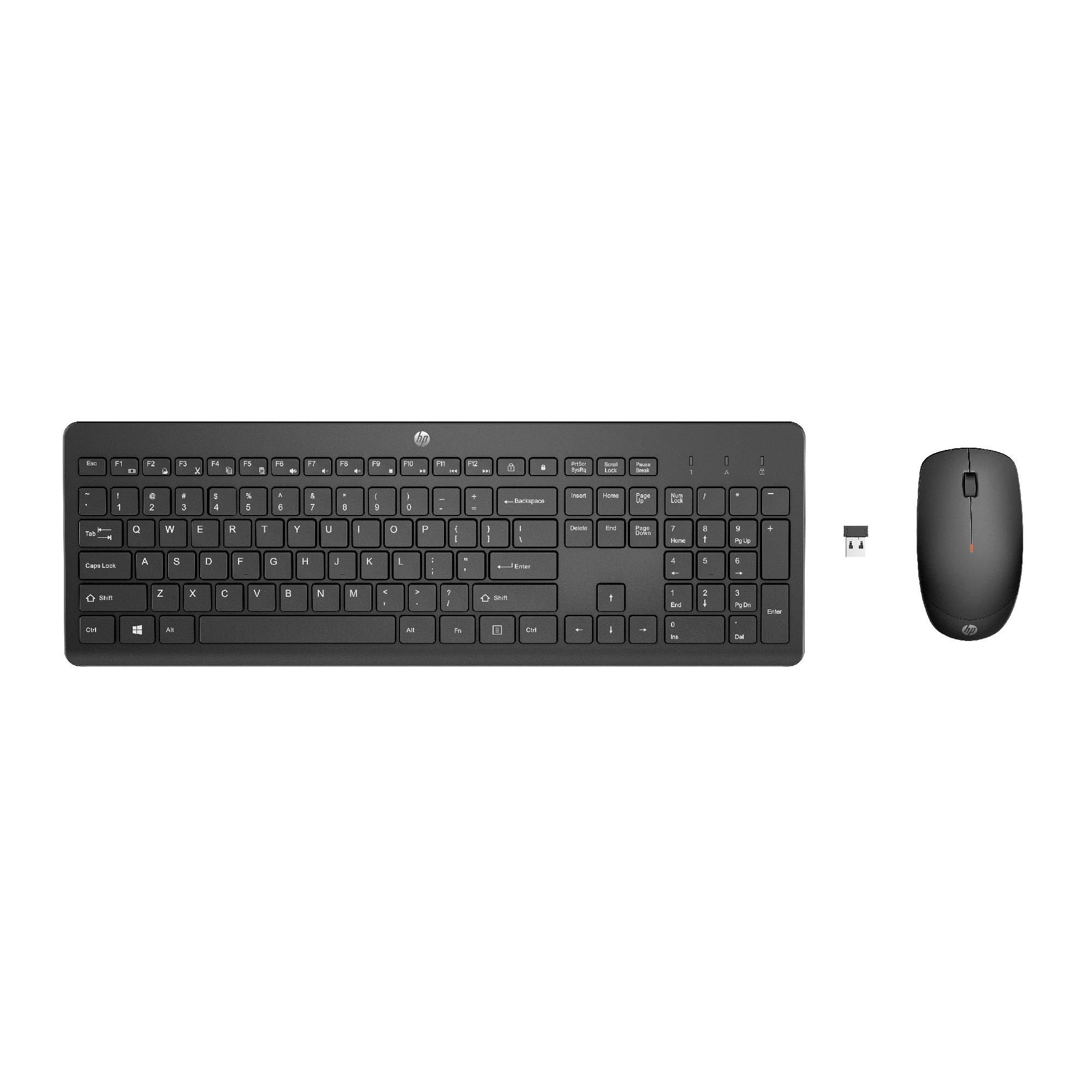
Image: The HP 230 Wireless Keyboard and Mouse Combo, showing both devices in black.
የጥቅል ይዘቶች
ሁሉም እቃዎች በጥቅሉ ውስጥ መኖራቸውን ያረጋግጡ፡-
- የ HP 230 ገመድ አልባ ቁልፍ ሰሌዳ
- HP 230 ገመድ አልባ መዳፊት
- USB-A Wireless Dongle (2.4 GHz)
- 2 AAA Batteries (for keyboard)
- 1 AA Battery (for mouse)
- Product Information and Warranty Card
የማዋቀር መመሪያዎች
1. ባትሪዎችን ይጫኑ
- ለቁልፍ ሰሌዳ፡- የባትሪውን ክፍል በቁልፍ ሰሌዳው ግርጌ ላይ ያግኙ። ሁለት የ AAA ባትሪዎችን ያስገቡ፣ ይህም ትክክለኛውን ፖላራይቲ (+/-) ያረጋግጡ።
- ለመዳፊት፡- የባትሪውን ክፍል በመዳፊት ግርጌ ላይ ያግኙት። አንድ የ AA ባትሪ ያስገቡ፣ ትክክለኛውን የፖላራይቲ (+/-) ያረጋግጡ።
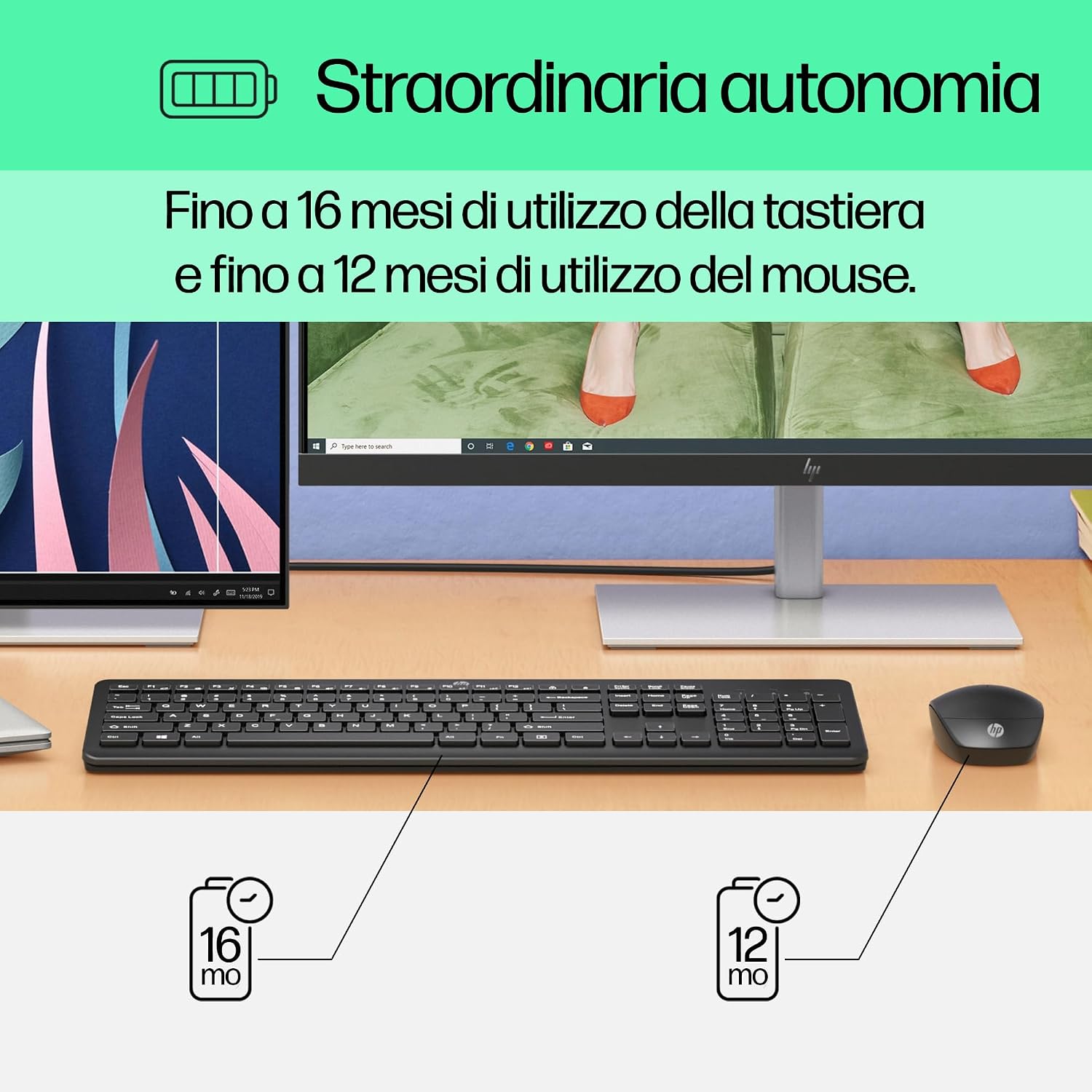
Image: Diagram illustrating battery life for the keyboard (16 months with 2 AAA) and mouse (12 months with 1 AA).
2. Connect the USB-A Wireless Dongle
- Locate the USB-A wireless dongle, typically stored in the mouse's battery compartment or included separately in the packaging.
- Insert the USB-A dongle into an available USB Type-A port on your computer (desktop, laptop, tablet, or All-in-One PC).
- Your computer should automatically detect and install the necessary drivers. This is a Plug and Play device, requiring no manual driver installation.

Image: The HP 230 wireless keyboard and mouse positioned next to a laptop, illustrating wireless connectivity.
The keyboard and mouse are pre-paired with the dongle and should be ready for use immediately after connection.
ኦፕሬሽን
የቁልፍ ሰሌዳ ተግባራት
The HP 230 Wireless Keyboard features a full-size layout with a numeric keypad and silent chicklet keys for comfortable and quiet typing.
- ዝምታ መተየብ; The keyboard is designed for reduced noise during typing, making it suitable for quiet environments.
- Fn Key Shortcuts: ተጠቀም Fn key in combination with the F1-F12 function keys for quick access to various functions such as volume control, home page, bookmarks, and email.
- የቁጥር ቁልፍ ሰሌዳ፡ ቀልጣፋ ውሂብ ለማስገባት የተወሰነ የቁጥር ቁልፍ ሰሌዳ ተካትቷል።

ምስል፡ ዝርዝር view of the HP 230 keyboard layout, highlighting function keys and silent chicklet keys, with dimensions.

Image: A close-up of the HP 230 keyboard showing the Fn keys and their associated shortcut icons, emphasizing productivity.
የመዳፊት ተግባራት
The HP 230 Wireless Mouse is designed for precise navigation and comfortable use.
- የትክክለኛነት ክትትል፡ The mouse features a 1600 DPI optical sensor for accurate and smooth cursor movement.
- የማሽከርከር ጎማ፡ Use the scroll wheel for easy vertical navigation through documents and web ገጾች.
- የግራ እና የቀኝ አዝራሮች; Standard left and right-click functionality for interaction with your computer.
- አሻሚ ንድፍ; Suitable for both left-handed and right-handed users.

ምስል፡ ከላይ ወደ ታች view of the HP 230 mouse, showing its ergonomic design, scroll wheel, and 1600 DPI specification, with dimensions.

Image: Graphic illustrating the precise movement of the HP 230 mouse with up to 1600 DPI tracking.
ጥገና
Proper maintenance ensures the longevity and performance of your HP 230 combo.
- ማጽዳት፡
- ለስላሳ፣ ከቆሸሸ ነፃ የሆነ ጨርቅ በትንሹ ተጠቀምampened with water or a mild cleaning solution to clean the surfaces of the keyboard and mouse.
- ጠንከር ያሉ ኬሚካሎችን፣ መጥረጊያዎችን ወይም ፈሳሾችን ከመጠቀም ይቆጠቡ።
- ለቁልፍ ሰሌዳው፣ ከቁልፎቹ መካከል አቧራ እና ቆሻሻ ለማስወገድ የታመቀ አየር ይጠቀሙ።
- የባትሪ መተካት፡
- አፈጻጸሙ ሲቀንስ ወይም የባትሪው ዝቅተኛ መጠን (ካለ) ሲበራ ባትሪዎቹን ይተኩ።
- Always use new, high-quality batteries of the specified type (AAA for keyboard, AA for mouse).
- በአካባቢው ደንቦች መሰረት የቆዩ ባትሪዎችን ያስወግዱ.
- ማከማቻ፡ ረዘም ላለ ጊዜ ጥቅም ላይ በማይውልበት ጊዜ ባትሪዎቹን እንዳይፈስ ለመከላከል ባትሪዎቹን ያስወግዱ. መሳሪያዎቹን በቀዝቃዛና ደረቅ ቦታ ውስጥ ያከማቹ.
መላ መፈለግ
If you encounter issues with your HP 230 Wireless Keyboard and Mouse Combo, try the following solutions:
| ችግር | መፍትሄ |
|---|---|
| የቁልፍ ሰሌዳ ወይም መዳፊት ምላሽ እየሰጡ አይደለም |
|
| ዘግይቶ ወይም አልፎ አልፎ የሚገናኝ ግንኙነት |
|
| የመዳፊት ጠቋሚው ያልተስተካከለ ወይም በተቀላጠፈ ሁኔታ የማይንቀሳቀስ |
|
ዝርዝሮች
| ባህሪ | ዝርዝር |
|---|---|
| የምርት ስም | HP |
| የሞዴል ቁጥር | HP 230 |
| ቀለም | ጥቁር |
| የግንኙነት ቴክኖሎጂ | 2.4 GHz Radiofrequency (Wireless USB-A Dongle) |
| የቁልፍ ሰሌዳ አቀማመጥ | QWERTY |
| የቁልፎች ብዛት (ኪቦርድ) | 104 |
| ልዩ የቁልፍ ሰሌዳ ባህሪ | Silent Typing, Fn-key shortcuts |
| የመዳፊት ዲፒአይ | 1600 ዲፒአይ |
| የመዳፊት ንድፍ | አሻሚ |
| ተስማሚ ስርዓተ ክወናዎች | Windows 10, Windows 11 (also Windows 7, Windows 8) |
| Minimum OS Requirement | ዊንዶውስ 10 |
| የቁልፍ ሰሌዳ የባትሪ አይነት | 2 x AAA ባትሪዎች |
| የመዳፊት የባትሪ አይነት | 1 x AA ባትሪ |
| Estimated Keyboard Battery Life | እስከ 16 ወር ድረስ |
| Estimated Mouse Battery Life | እስከ 12 ወር ድረስ |
| የሚመከር አጠቃቀም | Computer typing and navigation |
የዋስትና መረጃ
The HP 230 Wireless Keyboard and Mouse Combo comes with a የ 2 ዓመት የምርት ዋስትና from the date of purchase. Please retain your proof of purchase for warranty claims. For detailed terms and conditions, refer to the warranty card included in your package or visit the official HP support webጣቢያ.
EU spare parts availability: 1 year.
ድጋፍ
For further assistance, technical support, or to access updated drivers and documentation, please visit the official HP support webጣቢያ፡
You may also find helpful information and FAQs on the product's Amazon page or by contacting HP customer service directly.