1. Introduction
Thank you for choosing the PXN SMG Sequential Gear Shifter. This high-performance peripheral is designed to enhance your racing simulator experience with realistic gear shifting, durable construction, and customizable features. This manual provides detailed instructions for setup, operation, maintenance, and troubleshooting to ensure optimal performance and longevity of your device.

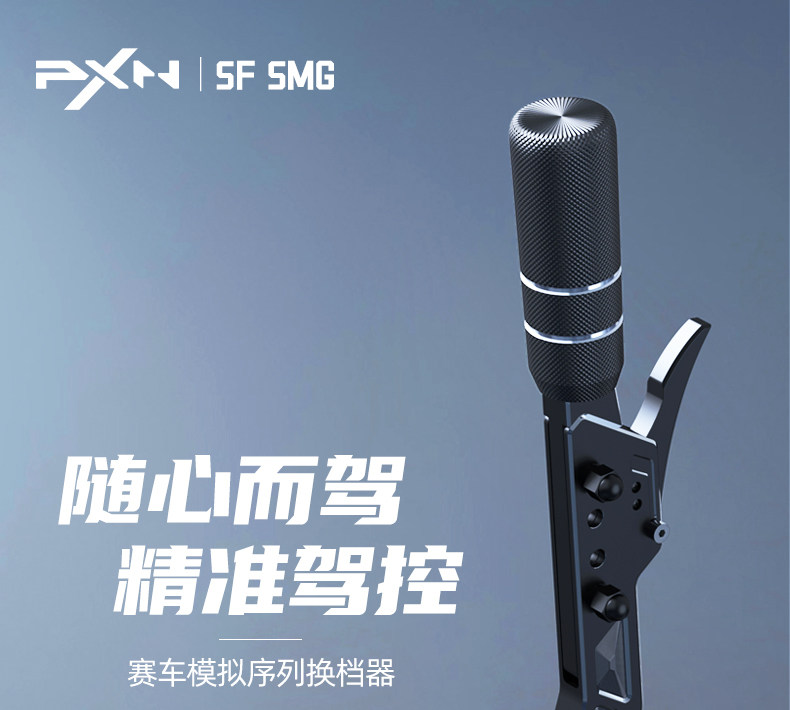
The PXN SMG Sequential Gear Shifter.
2. Key Features
- Self-Developed Physical Feedback Structure: Provides realistic shifting feel with adjustable damping, simulating the suction and resistance of real gears.
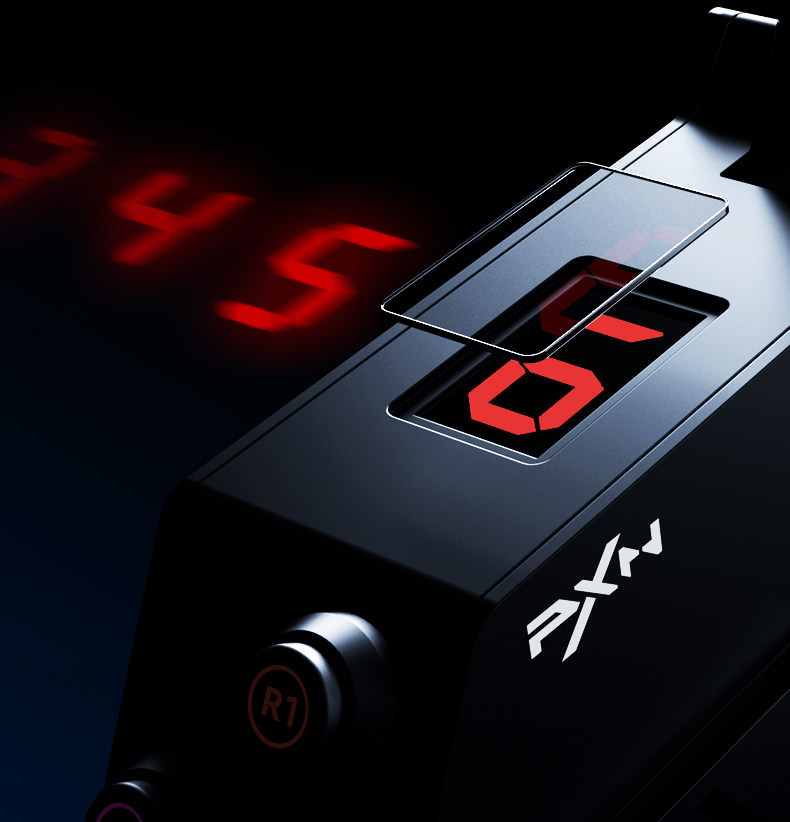
- LED High-Definition Screen Display: Real-time gear position display for quick status checks, assisting driving decisions, and maintaining vehicle power output and speed control.
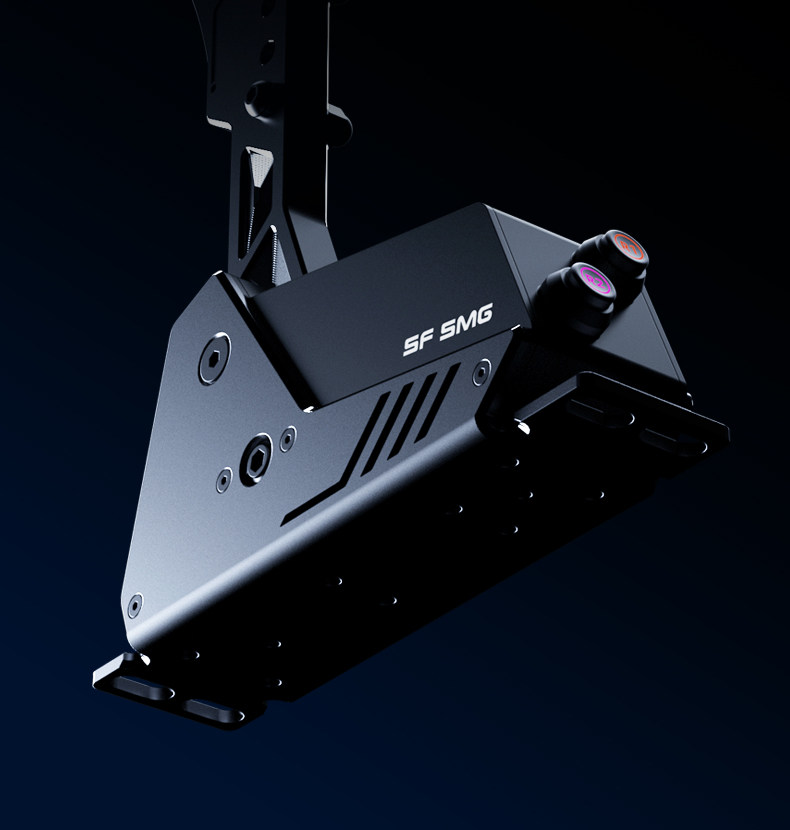
- All-Aluminum Alloy Body: Lightweight, sturdy, and durable construction using aviation-grade aluminum alloy with CNC high-gloss cutting process for a lustrous, pressure-resistant surface.
- Dual-Mode Connection: Supports direct USB connection to PC or connection to a PXN base, catering to various usage scenarios.
- RGB Backlit Dazzling Buttons: Clear feedback on button touch, customizable 256-level lighting and function keys via client/APP.
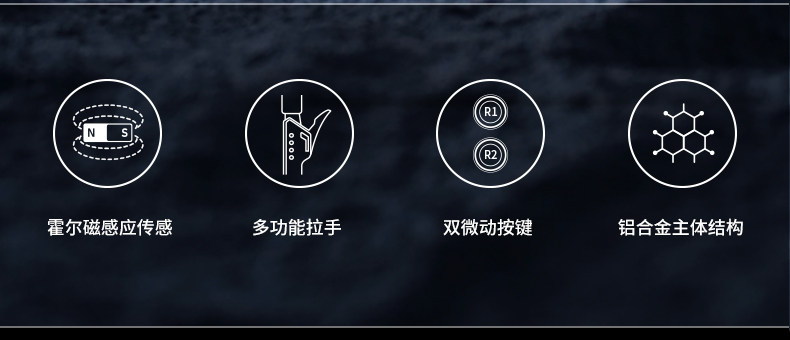
- Hall Magnetic Induction Sensor: Rapid and precise recognition of gear shift signals for high-accuracy operation, helping you challenge more difficult maneuvers.
- Multi-function Pull Rod: Supports mapping various in-game functions, including one-key neutral gear during driving.
- Compatible Platforms: PC (Windows 7-11).
Key features of the PXN SMG Shifter: Hall magnetic induction sensor, multi-function pull rod, dual micro buttons, and aluminum alloy main structure.
3. Package Contents
Please check the package contents upon unboxing to ensure all items are present:
Included tools and accessories for the PXN SMG Shifter.
- Shifter handle x 1
- Shifter main body x 1
- TYPE-C to USB-A data cable x 1
- TYPE-C to TYPE-C data cable x 1
- RJ11 to RJ11 data cable x 1
- M6 Hex nuts x 4
- TM6x15 Hex screws x 4
- External Hex wrench x 1
- Internal Hex wrench x 1

The PXN SMG Shifter, shown with an optional mounting clamp (may be sold separately or as a bundle).
4. Setup
4.1 Mounting the Shifter
The PXN SMG Shifter can be mounted to your racing rig or desk using the provided screws and nuts, or an optional mounting clamp (if included with your purchase).
- Identify a stable mounting surface on your racing rig or desk.
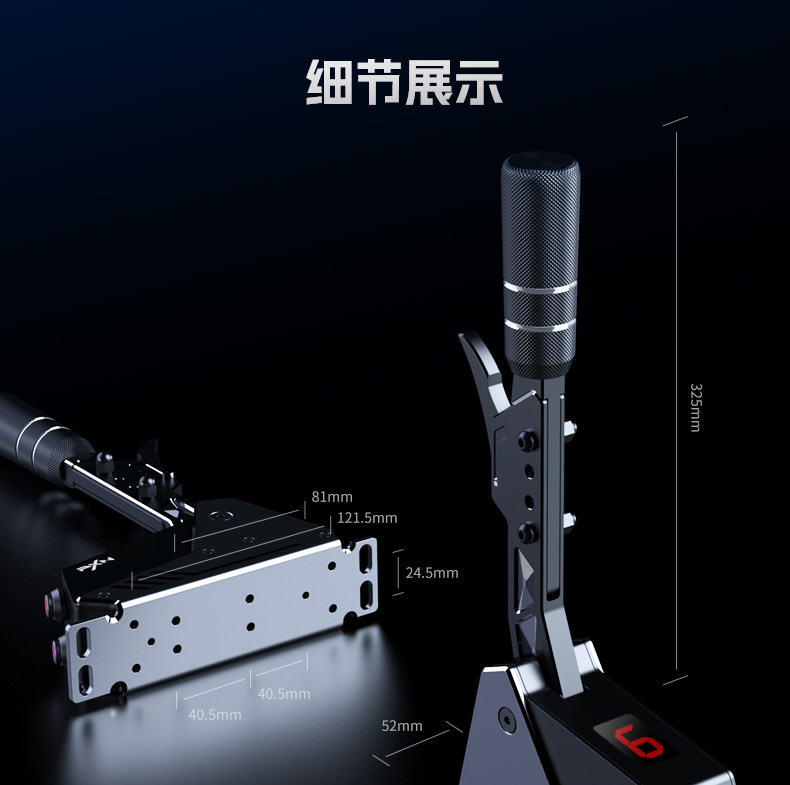
- Refer to the "Base hole position diagram" for mounting dimensions (121.5mm, 81mm, 40.5mm, 24.5mm).
- Align the shifter's base with the desired mounting holes.
- Secure the shifter using the M6 hex nuts and TM6x15 hex screws with the provided wrenches.
- If using a clamp, attach the clamp to the shifter base and then secure it to your desk.
Mounting dimensions for the shifter base (unit: mm).
4.2 Connecting to PC
The shifter supports dual-mode connection:
- Direct USB Connection:
- Connect one end of the TYPE-C to USB-A data cable to the TYPE-C port on the back of the shifter.
- Connect the USB-A end to an available USB port on your PC.
- The PC should automatically detect the device.
- Connection to PXN Base (if applicable):
- Connect one end of the RJ11 to RJ11 data cable to the RJ11 port on the back of the shifter.
- Connect the other end to the corresponding RJ11 port on your PXN racing wheel base.

USB-C and RJ11 connection ports on the shifter.
5. Operating Instructions
5.1 Basic Shifting
The PXN SMG Shifter operates as a sequential gearbox. Push the lever forward for upshifts and pull it backward for downshifts. The integrated LED screen will display the current gear in real-time.
Real-time gear display on the LED screen.
5.2 Adjusting Damping
The shifter features an adjustable damping mechanism to customize the feel of each shift. Use the provided internal hex wrench to adjust the damping screw located on the side of the shifter body. Turning the screw will either weaken or strengthen the damping force, allowing you to fine-tune the shifting resistance to your preference.
Damping adjustment mechanism: turn to weaken or strengthen damping.
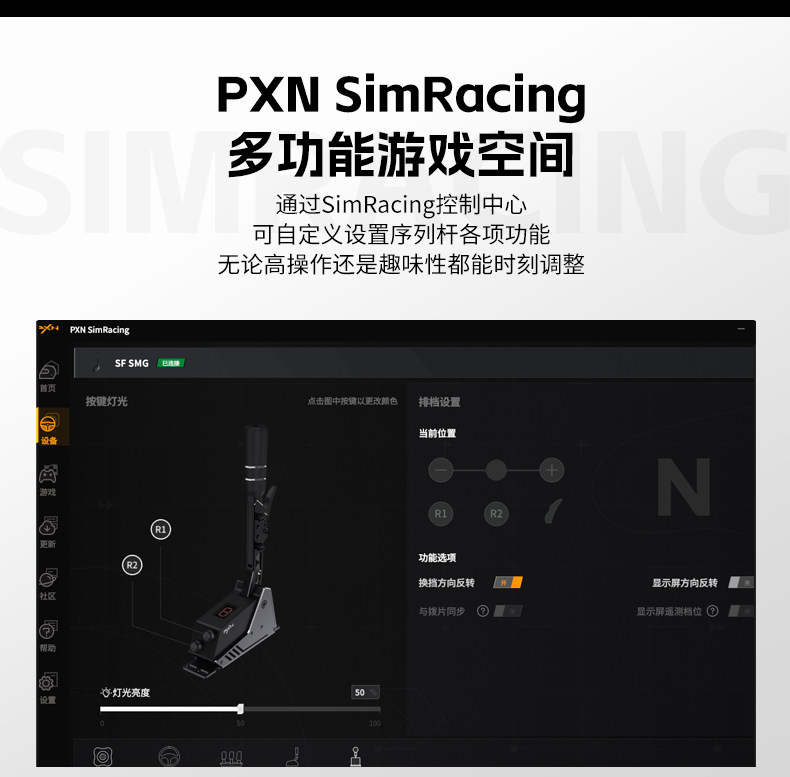
5.3 PXN SimRacing Software
For advanced customization and optimal performance, download and install the PXN SimRacing software from the official PXN website. This software allows you to:
- Customize RGB backlight colors and effects for the R1/R2 buttons (256 levels).
- Map various in-game functions to the multi-function pull rod and R1/R2 buttons.
- Adjust shift direction (e.g., reverse up/down shift).
- Synchronize settings with other PXN peripherals.

PXN SimRacing software interface for RGB customization.
PXN SimRacing software for function settings and adjustments.
R1 and R2 buttons with customizable RGB backlighting.
6. Maintenance
- Keep the shifter clean by wiping it with a soft, dry cloth.
- Avoid exposing the device to extreme temperatures or humidity. The recommended operating temperature is 10-40°C and humidity is 20-80%.
- Do not use abrasive cleaners or solvents, as they may damage the finish.
- Regularly check all connections to ensure they are secure.
- Store the shifter in a dry, dust-free environment when not in use.
7. Troubleshooting
| Problem | Possible Cause | Solution |
|---|---|---|
| Shifter not recognized by PC. | Loose USB connection, driver issue, incompatible USB port, incorrect operating system. |
|
| LED display not working or showing incorrect gear. | Power issue, software setting, calibration needed. |
|
| Shifting feels too loose/stiff. | Damping adjustment needed. |
|
| Buttons (R1/R2) not responding or incorrect function. | Software mapping issue, loose connection. |
|
8. Specifications
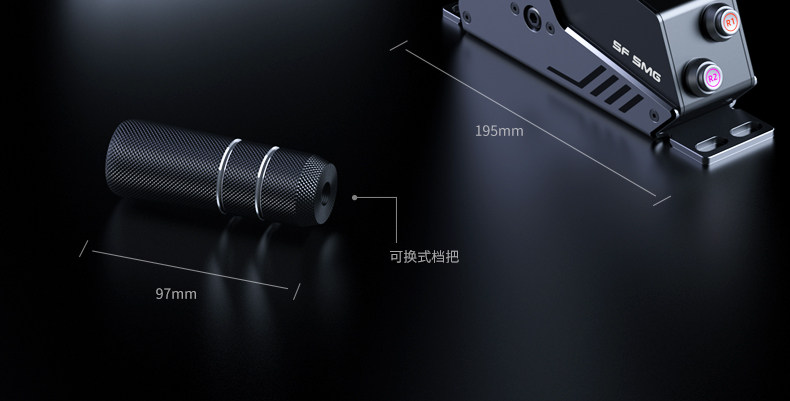
Detailed product parameters from the manufacturer.
| Parameter | Value |
|---|---|
| Product Model | SF SMG |
| Connection Method | Wired (USB or RJ11 to PXN Base) |
| Working Voltage | USB Power: 5V |
| Working Current | USB Power: Max 50mA |
| Product Dimensions (approx.) | 195mm (L) x 52mm (W) x 325mm (H) |
| Package Dimensions (approx.) | 253mm (L) x 103mm (W) x 305mm (H) |
| Body Weight (approx.) | 1050 grams |
| Operating Temperature | 10-40°C |
| Operating Humidity | 20-80% |
| Compatible Platforms | PC (Windows 7-11) |
| Shift Mode | Sequential (referred to as 'Paddle' in some specifications, indicating sequential operation) |
| Force Feedback | No (This feature is typically found in racing wheels, not shifters) |
Note: The values in the table are theoretical values from the PXN game laboratory. Actual use may vary due to individual product differences, software versions, and environmental factors.
9. User Tips
To optimize your experience with the PXN SMG Shifter, consider the following tips:
- Experiment with Damping: Take time to adjust the damping screw to find the perfect resistance level that suits your driving style and preference. A comfortable shift feel can significantly improve immersion and control.
- Customize Buttons: Utilize the PXN SimRacing software to map the R1/R2 buttons to frequently used in-game functions (e.g., DRS, KERS, pit limiter, handbrake) for quick and ergonomic access during races.
- Software Updates: Periodically check the official PXN website for software and firmware updates. These updates can provide improved compatibility, new features, and performance enhancements.
- Cable Management: Ensure all cables are neatly routed and secured to prevent accidental disconnections or damage during intense racing sessions. Good cable management also contributes to a cleaner setup.
10. Warranty and Support
For warranty information, technical support, or service inquiries, please refer to the official PXN website or contact your local distributor. Keep your proof of purchase for warranty claims.
Official Website: Please visit the official PXN website for the latest support resources, drivers, software, and contact information.
Customer Service: Contact details for customer service can typically be found on the official PXN website under the 'Support' or 'Contact Us' sections.


